Xbox App Redesign / ETSU
Xbox mobile app redesign prototyped in InVision Studio and icons from Flaticon.
The Xbox app keeps you connected to your gaming community. Users are able to easily share game clips, screenshots, chat, view achievements, and get notifications.
I designed and created a fully functional redesign of the Xbox app. I designed the user interface for a sidebar navigation, activity feed, friends list, messages, and Microsoft store.
The app features an activity feed that shows an interactive feed that shows captures, statuses, achievements, likes, shares, and comments etc.
The friends list displays what your friends are playing. If the user clicks a friend's gamer picture it will take you to their feed. If you click the game they're playing it will show you details about that specific game (description, price, screenshots/captures).
The messages displays all the user's recent messages and there are filters, such as favorites, groups, clubs, and requests, that help users get to certain messages quickly.
The Microsoft store displays features, such as popular games (where the user can scroll through popular games), a search bar, and a feature of a popular game with the price.

Xbox App Redesign Prototype - Main Screens.

Xbox App Redesign Prototype - Activity Feed.

Xbox App Redesign Prototype -Favorite Friends (See what games your friends are playing and details, view friend profiles)

Xbox App Redesign Prototype - Messages.
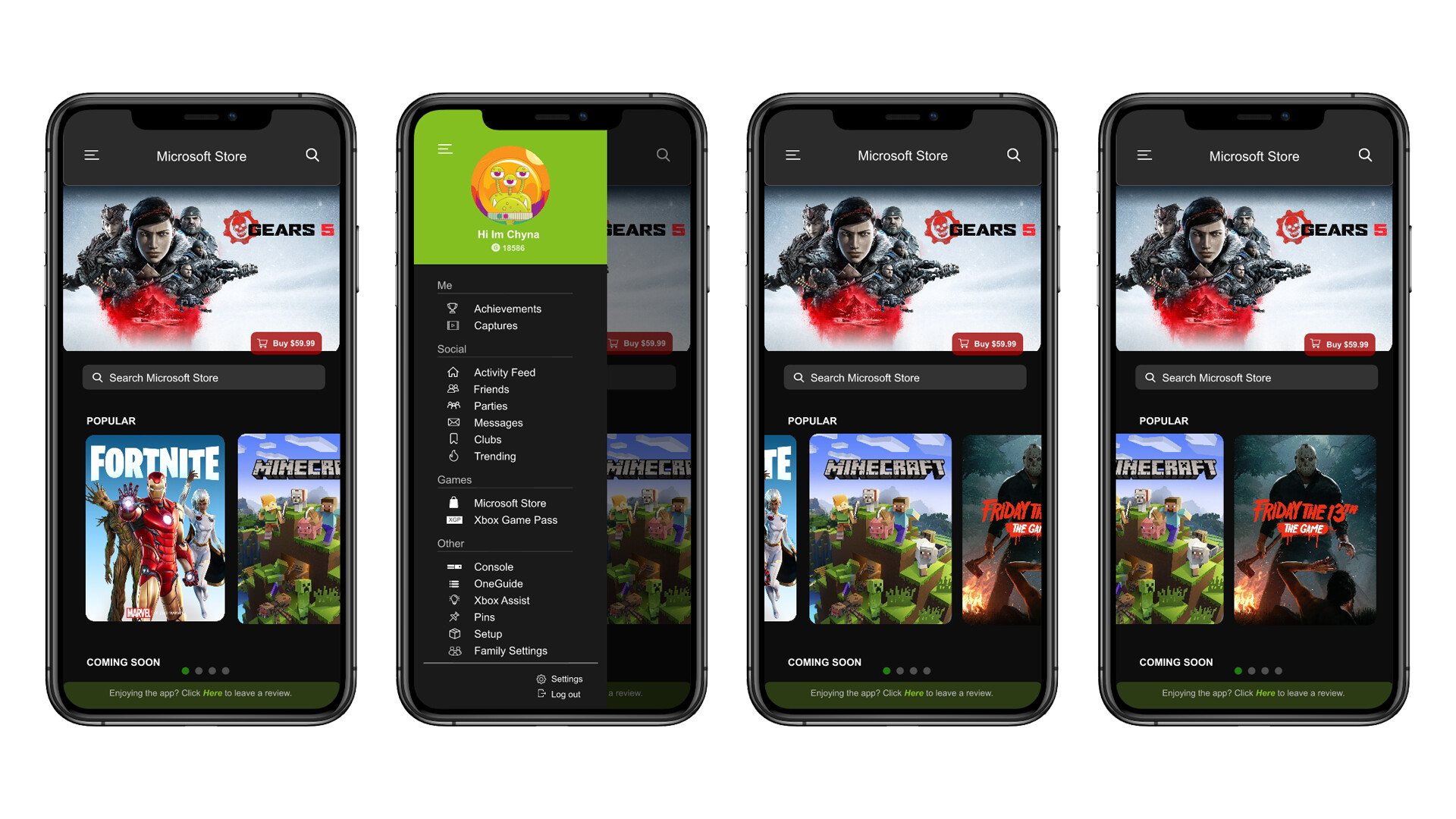
Xbox App Redesign Prototype -Microsoft Store (scrolls).
Xbox App Redesign Prototype (Video).